At various points in your use of InSights Into Data, you will have a number of data tables held in memory - whether from SQL queries or file imports. You will want to take actions on those tables - such as renaming, deleting, splitting, etc. This screen allows you to do just that. We will be adding other actions that you can perform on the in-memory data tables in the next few releases.
The screen is organized with all data tables listed on the left hand size - and a grid where you can quickly view the data for these tables on the right hand side. The bottom area is used to hold buttons for the various actions you can perform on them.
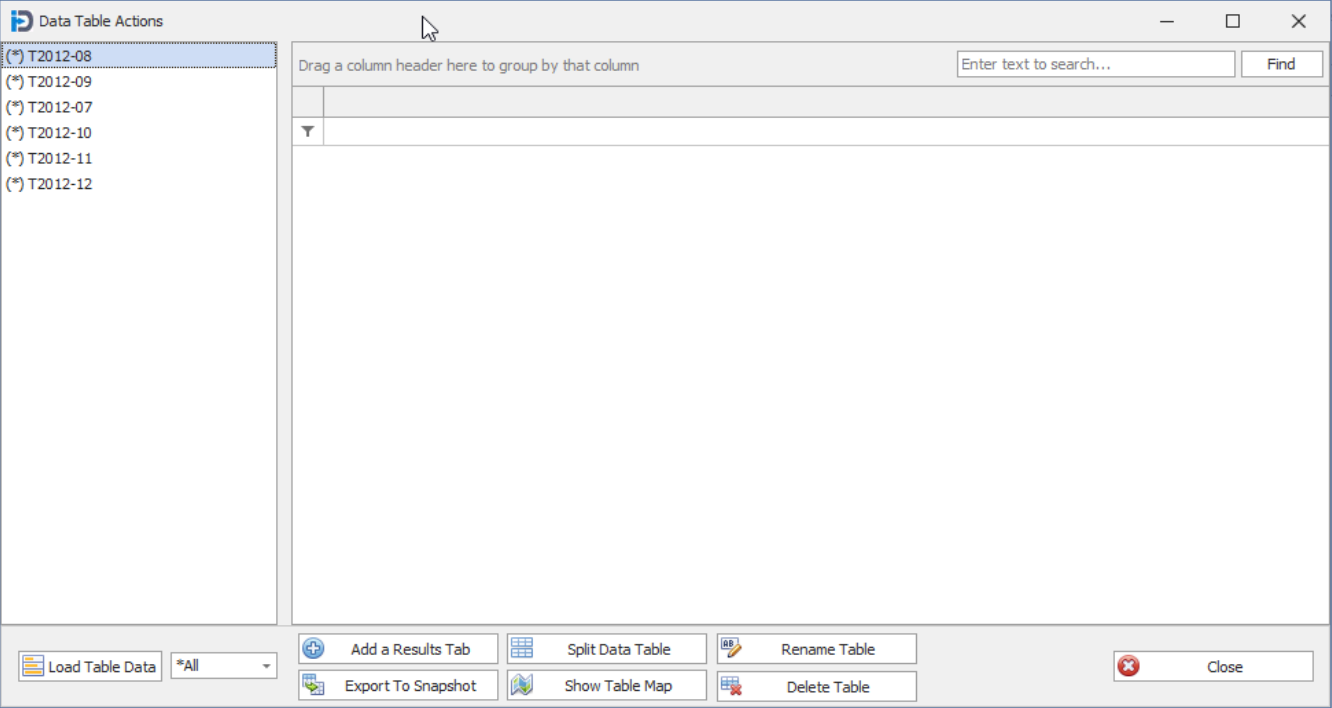
Load Table Data
This button allows you to load the data for the currently selected in memory data table. The number of records that are loaded depends on the selected value of the drop down to the right of the button.
Possible values are
- *All - the button will load all the records in the in memory table in to the grid
- 10 - the button will load only the first ten records in to grid.
- 100 - the button will load only the first hundred records in to grid.
- 1000 - the button will load only the first thousand records in to grid.
Add a Results Tab
This button will load the in memory data table into a Results Grid on the Result Tab. But it will only do this if it is not already associated with an existing Results Grid. Note: If the in memory table is associated with an existing grid - then a "(*)" will be in front of the data table name.
Export to Snapshot
This button will export the data from the currently selected data table into an external file. It will be in the standard .Net XML format - and it will be automatically encrypted so that it only be opened in InSights Into Data. Note that the user will have the option of adding an additional encryption password to further protect their data.
Split Data Table
This button will launch the Data Table Splitter function in InSights Into Data. Here you can break down the selected table into multiple smaller tables - based on your own criteria.
Merge Data Tables
This button will launch the Data Table Splitter function in InSights Into Data. Here you can break down the selected table into multiple smaller tables - based on your own criteria.
Rename Table
This button allows the user to rename an in-memory data table. This can be useful to make it easier to remember and work with. The one catch is that you CANNOT rename a data table if it has a Result tab already created for it. This is how most in memory data tables are. When you run a query or import a file (CSV, Excel, etc.) - the program imports the data, creates a data table, and then creates a Result tab for that data table.
Delete Table
This button allows the user to delete an in-memory data table. The one catch is that you CANNOT delete a data table if it has a Result tab already created for it. This is how most in memory data tables are. When you run a query or import a file (CSV, Excel, etc.) - the program imports the data, creates a data table, and then creates a Result tab for that data table.
Clean Data!
This button will show a drop down list of possible data changes features. The first option (Change Data!) does nothing - and is used as a placeholder on the drop down list.
| This will show a screen that will allow you to remove duplicate rows. However, it will also allow you to generate lists of unique values for the columns you choose. |
| This will show a screen that will allow you to remove records from your in memory data table. This is done by selecting a column, entering a value, and then choosing a comparison type. |
| This will show a screen that allows you to change values of any column, based on values in that or other columns. |
| This will show a screen that allows you to change the character Case Type of any string values. You can choose Upper Case, Lower Case or Proper Case. |
Show Table Map
This button will show the Data Table Map form. This shows the in memory data tables in a form that shows the table fields and data types.
This button will show a New Database Table form. It allows you to choose a new Table name - and then the program will upload this data table and data to the new database table.
Close
This button will close the Data Table Actions form.