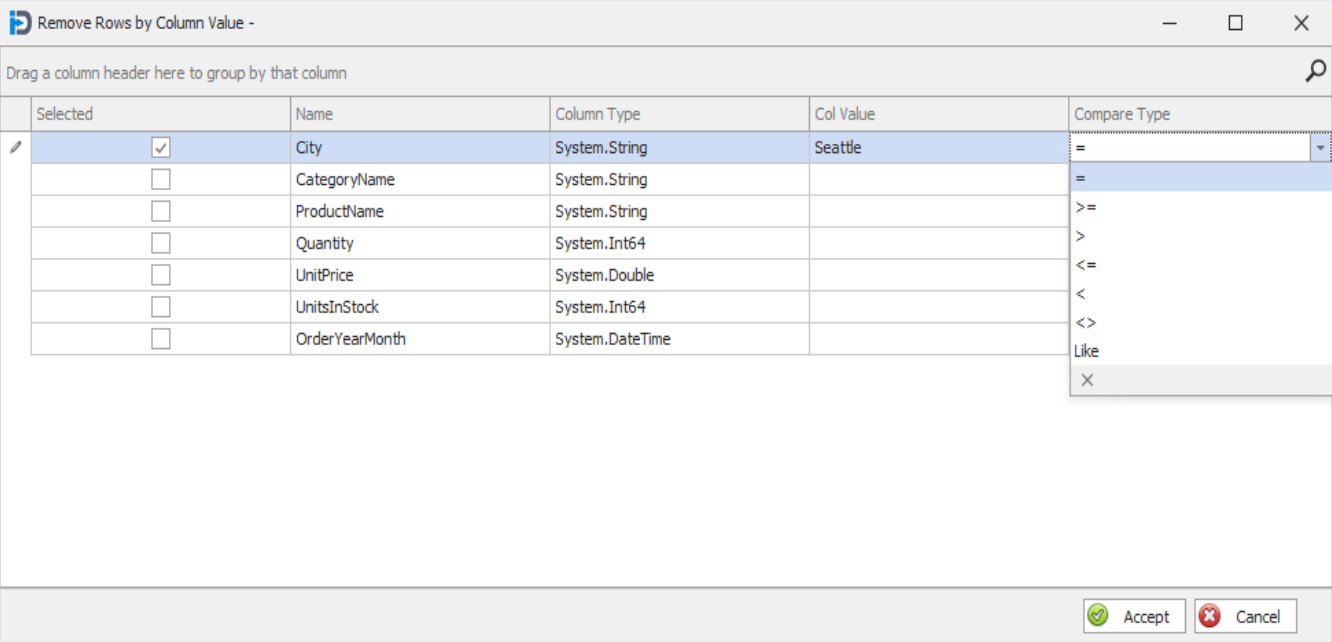
This feature allows the user to remove or select records based on column values. Here you select a column and then enter a value and finally choose a compare type.
What value you choose in the Compare Type column determines how the program will select or remove records from the data table to create a new table. If you select records then the new table will be made of records whose column values match your entered value(s). If you exclude records then the new table will be made up of the records that do not match your values.
The following screen capture shows how it might look if you were going to select only the records that have a city of value of "Seattle". The drop down in the screen capture shows all the possible comparisons that are available.
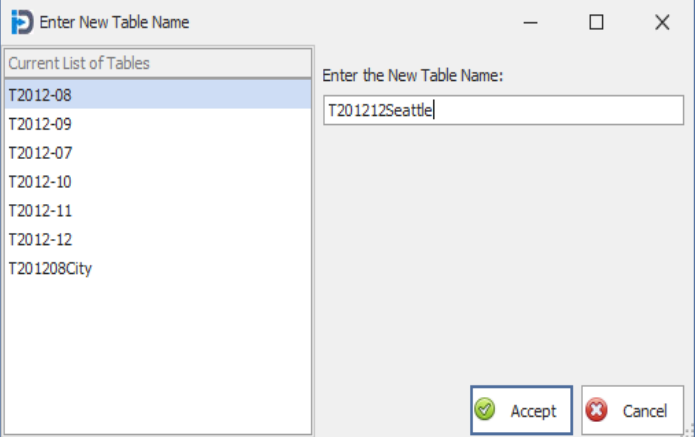
Once you click the Accept button you are prompted to enter a name for the new table that will be created. As with other forms - this name must be characters and numbers only. No other characters.
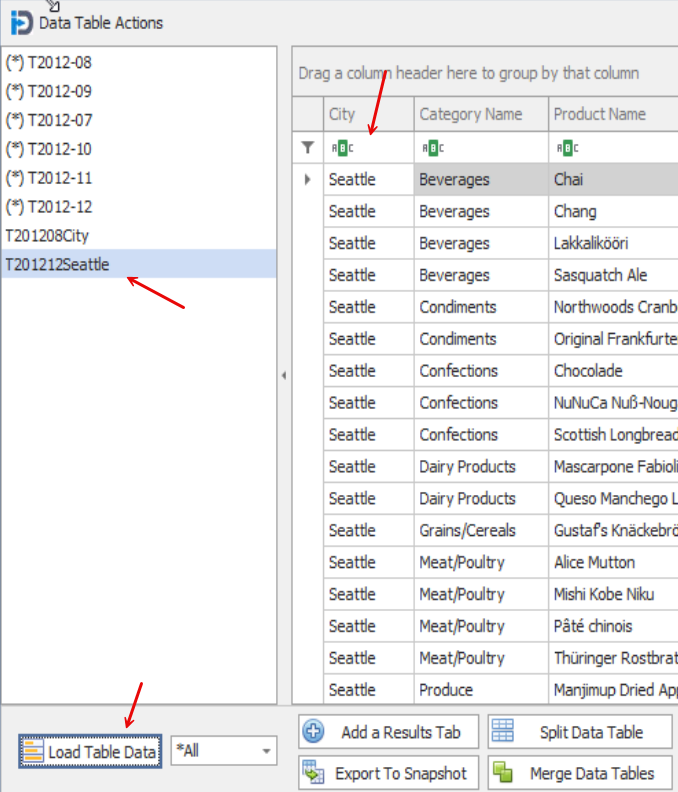
The screen capture below shows the contents of the new table. Note that it shows only records whose City values equal "Seattle".
This can be a very handy feature to allow a user to break up their large data table into many smaller data tables. For example you could take an entire years sales data and easily break it into 12 different tables each containing one month of data. You could then trend that data showing sales changes over the entire year.