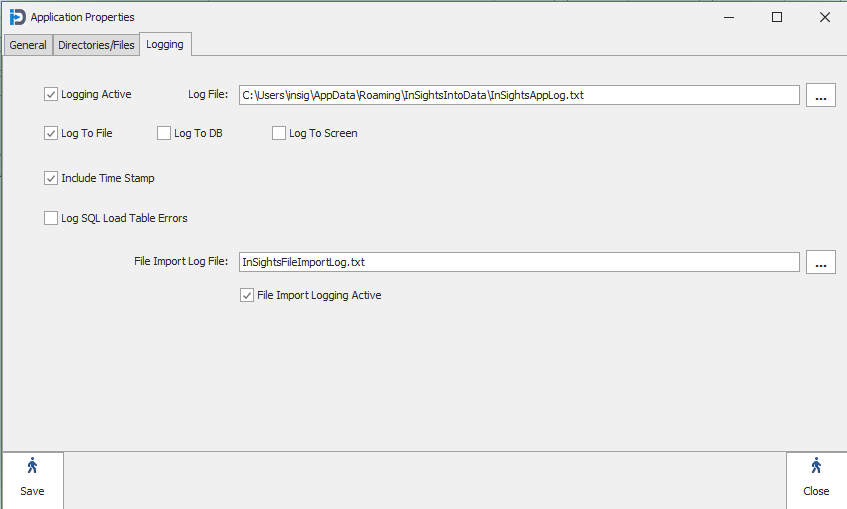
The Logging tab allows the user to configure how the program will log messages and errors.
| Logging Active: | Whether or not the program will log any messages/errors to its file, database, and/or screen. |
| Log File: | This is the file where errors and messages will be logged to if "Log To File" is checked. |
| Log To File: | Whether the program will log messages to a file or not |
| Log To DB: | Whether the program will log messages to the ZQryLog table in the Configuration database |
| Log to Screen: | Whether the program will log the messages to the screen. There is no "Screen" option in Version 3.x at this time |
| Include Time Stamp: | Whether the program will automatically include a TimeStamp in the Logging records. We recommend that this is turned on. |
| Log SQL Load Table Errors: |
| File Import Log File: |
| File Import Logging Active: |